
Keep the work moving.
Use IESaxis to find assigned work, record time and materials, and review equipment history.

YOUR TEAM. YOUR PARTS. YOUR JOBS. TOGETHER.
Connect the customer order to the materials, people, production, quality, service, and costs behind it.
Give every team the context to take the next step, from the first requirement to the next service visit.

Sales → Materials → Production → Quality → Service → Costs
CONNECTED AT EVERY LEVEL
Use IESaxis to find assigned work, record time and materials, and review equipment history.

Connect product definitions, material requirements, production plans, and controlled documents in IESaxis.

Review IESaxis dashboards, job costs, workforce needs, and operational exceptions across the business.
WHY IT MATTERS
When work spans teams, the details matter. Keep the order, materials, progress, and supporting records within the same operating picture.
Connect customer requirements, products, and bills of materials so the next team can find the information behind the job.
Review requirements, inventory, purchasing, and progress together to see what needs attention before the next handoff.
Bring quality records, service history, labor, and material costs into the review—not just the completion date.
SEE THE ACTUAL APPLICATION
THE COMPLETE FEATURE DIRECTORY
18 capability areas
Customer records, contacts, installed sites, and equipment relationships.
What it helps you doStart with the customer and site context behind the job.
Sales orders, customer POs, requested dates, status, and SO Command Center.
What it helps you doKeep the customer commitment connected to departmental progress.
Reusable products, components, BOM revisions, quantities, and calculations.
What it helps you doGive repeat builds a consistent starting point.
Engineering records, drawing context, changes, and impact review.
What it helps you doMake changes visible as requirements move into the build.
Requirements, shortages, planned supply, and purchase requisitions.
What it helps you doSee what the job still needs before the next production step.
Suppliers, requisitions, purchase requirements, orders, and receiving.
What it helps you doConnect buying decisions to demand and incoming material.
Material master, quantities, locations, movements, reorder queues, and QR tools.
What it helps you doKnow where parts are, what is available, and where stock moved.
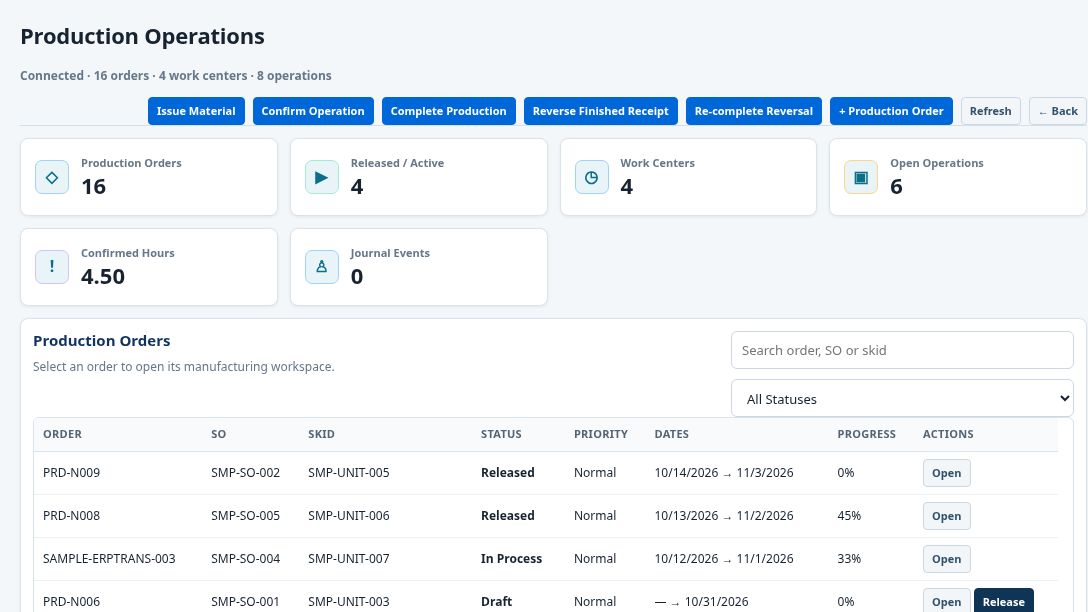
Sales-linked orders, work centers, operations, material issue, and completion.
What it helps you doFollow the job from release through finished-goods receipt.
Shop schedules, capacity, progress, and blocked-work exceptions.
What it helps you doGive the shop a clearer view of priorities and the next handoff.
My Work, labor timers, work records, material usage, and equipment QR tools.
What it helps you doRecord effort and parts against the work they support.
Inspection templates, results, punch lists, nonconformances, and corrective actions.
What it helps you doKeep verification and unresolved quality items close to the job.
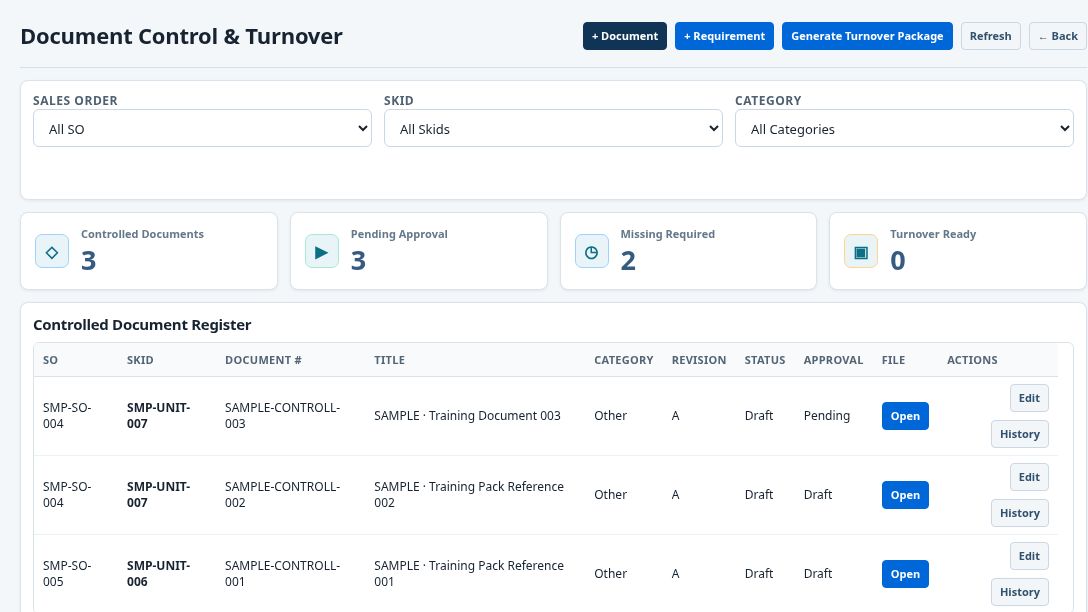
Controlled register, revisions, approvals, requirements, and turnover packages.
What it helps you doSee which records are present and what still needs review.
Equipment identity, lifecycle stage, approved documents, and service history.
What it helps you doKeep asset context available beyond the initial build.
Service orders, priorities, schedules, warranty tickets, and maintenance history.
What it helps you doGive the next visit a useful starting point and follow-up record.
Integrated workforce screens inside IESaxis, using the same app navigation.
What it helps you doKeep people administration close to daily operations.
Budgets, project tasks, receivables, payables, reconciliation, and fiscal periods.
What it helps you doBring financial follow-through into operational review.
Labor and material costs, planned and committed costs, actuals, margins, and variances.
What it helps you doCompare the cost of the work with the commercial view of the job.
Operational and executive dashboards, reports, alerts, automation, and administration.
What it helps you doFocus reviews on priorities and exceptions, with role-appropriate access.
No matching features. Try another term or choose All features.
Capabilities reflect the current IESaxis workspaces. Access, integrations, enabled workflows, and setup depend on your organization and selected plan. Payroll and finance workspaces do not by themselves activate payment processing, tax filing, or external provider services.
START WITH YOUR WORKFLOW
Explore how IESaxis supports the way your team works.
MANUFACTURING
Keep product requirements, materials, operations, and quality connected as work moves through the shop.
Illustrative workflow. Your rollout depends on the modules, data, and processes you configure.
FROM THE CURRENT SAMPLE WORKSPACE
BEFORE YOU GET STARTED
IESaxis supports teams that need to connect manufacturing, equipment, inventory, quality, service, people, and job costs. Request a quote to discuss your industry, users, and rollout needs.
Use Customer sign in to open the IESaxis app, then sign in with the account assigned to your workspace. Account access is managed by your organization.
Open customer sign in ↗Tell us about your team and workflows using the quote form below. We will contact you to discuss scope and prepare a quote.
Request a quote ↗ · Request a quote ↗The screenshots and video show the actual IESaxis application with sample business data. Signed-in account details and private employee records are excluded.
Yes. Authorized users open Personnel inside the main app and select its workforce screens without opening a separate window.
Open the user manual from the app for guidance on screens and workflows. Your organization's administrator can help with account access and workspace configuration.
Open IESaxis ↗LET’S TALK ABOUT YOUR TEAM
Tell us about your business and the work you want to connect.
YOUR NEXT STEP
Tell us what your team needs and request a tailored quote.